How to compare insurance quotes with AI
Compare 2 or 3 carrier quotes with ChatGPT or Claude without errors: 7 best practices, the traps to avoid, and two free tools that apply them for you.
A quote comparison means 2 or 3 carrier PDFs that do not speak the same language. One states the wind and hail deductible as a percentage of Coverage A, another as a flat amount. One includes water backup, another leaves it out without saying so. Retyping all of it into a spreadsheet takes time. Handing it to ChatGPT or Claude with no method risks an invented coverage in a document your client will read.
AI does this job very well when you give it rules. Here are the ones we use at Covera, and two free tools that apply them for you.
What AI does well, and what it misses without instructions
An assistant like ChatGPT or Claude reads PDF quotes, scans and photos. It lines up coverages worded differently and writes a clear summary for a client. That is the core of the job, and it is fast at it.
Without instructions, it also makes the same four mistakes:
- it fills a gap with what a policy "usually includes";
- it compares a 1% wind and hail deductible to a flat $2,500 one as if they were the same;
- it computes rough savings;
- it picks a "best option", which is not its call.
The seven rules below fix these four mistakes.
The 7 best practices
1. Give it every document, and only for the same risk
You need 2 or 3 quotes for the same insured and the same property or business. Policy forms, endorsements and applications complement a quote: they fill its rows, they never count as one more offer. If a page is unreadable, the AI must say so, not write "not stated" instead.
2. Impose a coverage grid per line of business
A grid sets the sections and rows, line by line:
- homeowners: Coverages A to F, extended replacement cost, water backup, ordinance or law, deductibles;
- business owners policy: building, business personal property, business income, general liability limits, deductibles, exclusions;
- group health: deductibles, out-of-pocket maximum, copays, network, prescription tiers.
Without a grid, every comparison has a different shape, and rows go missing without anyone noticing.
3. Zero invention: "Not stated in quote"
A coverage that is excluded and a coverage the quote does not mention are two different things. Your instructions must say it plainly: every value comes from a quote, written as it appears there. Nothing on a row: "Not stated in quote". This is the rule that protects your E&O the most.
4. Same row, same thing
Replacement cost versus actual cash value, a percentage deductible versus a flat one, per occurrence versus aggregate: these values do not convert. Keep them as written and mark the row "not comparable". The client sees the gap, and you explain it.
5. No math, no verdict
At the top of the table: the recurring premium, annual or monthly, as the quote states it. No total, no savings, no score, no "recommended option". The choice and the advice stay with the agent.
6. Two versions: one for you, one for the client
The agent's checks stay in the conversation: expired quote, missing document, values that contradict each other. The client PDF only holds facts and 2 to 5 numbered points to note, in plain words, each with its source (carrier, page).
7. Review the draft before sending
A draft first, then the final version. Check three things: the values match the quotes, "Not stated in quote" appears where a quote is silent, and the gaps that matter carry their numbered reference.
Two free tools that apply this method
Nobody writes these rules into a prompt for every account. So we put them into a free quote comparison tool, with the coverage grids and the PDF layout. It comes in two versions.
In Claude: one command to paste
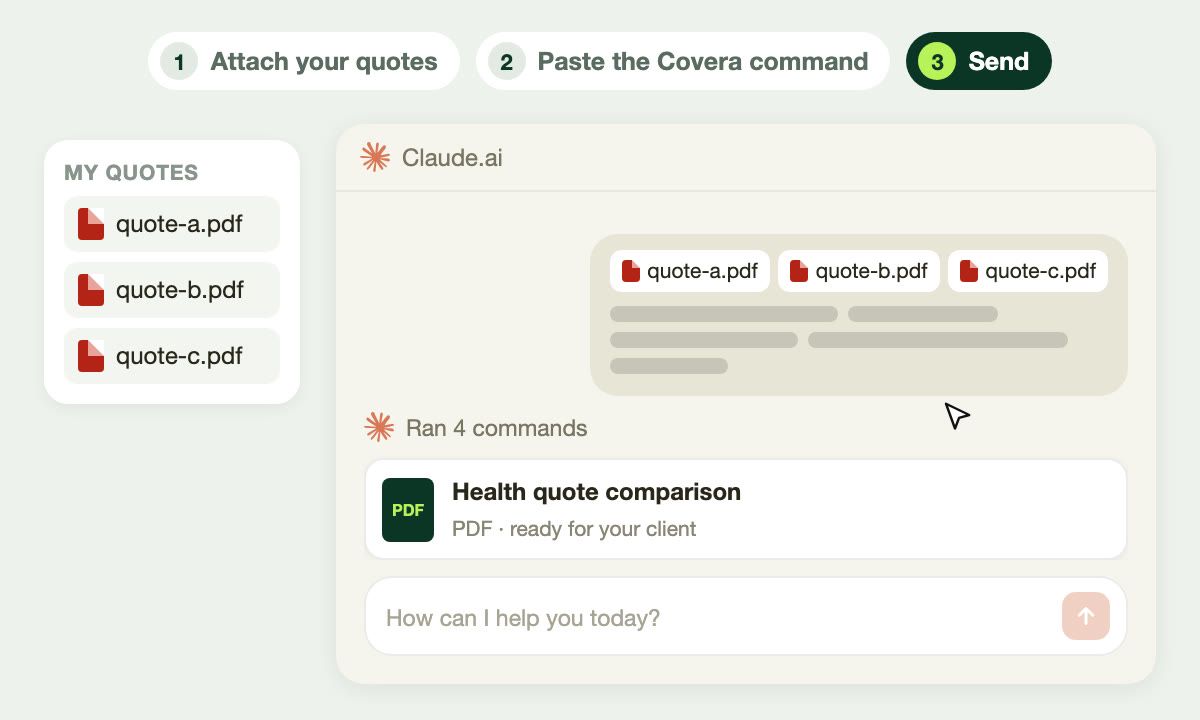
In Claude.ai, with code execution turned on: attach your quotes (PDFs, scans or photos), paste the Covera command, send. Claude first shows the table and what to check; you reply OK, and the final PDF arrives.

Get the quote comparison tool for Claude, free, by email.
In ChatGPT: a skill to import once
In ChatGPT, import the Covera skill once (Plugins, Skills, Import). Then, in any chat, attach your quotes and ask for the comparison.

Download the skill for ChatGPT, free.
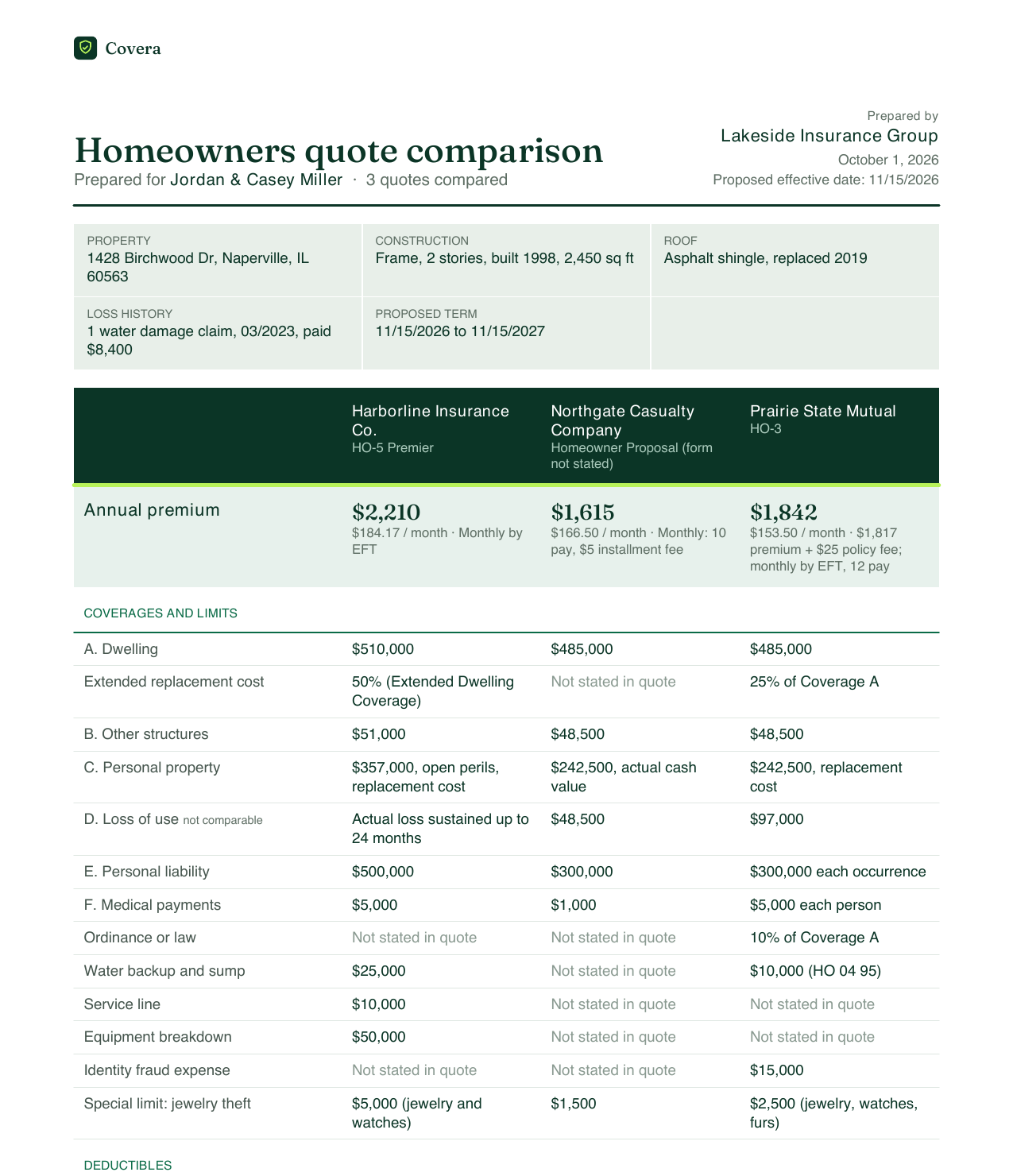
Both versions produce the same PDF: coverages side by side, numbered points to note, "Not stated in quote" where a quote is silent. The footer states that the carrier's quote and policy form prevail.
One caution: a quote holds your client's personal information. Use a Claude or ChatGPT account that fits your agency's data policy.
The most practical option: stop comparing by hand
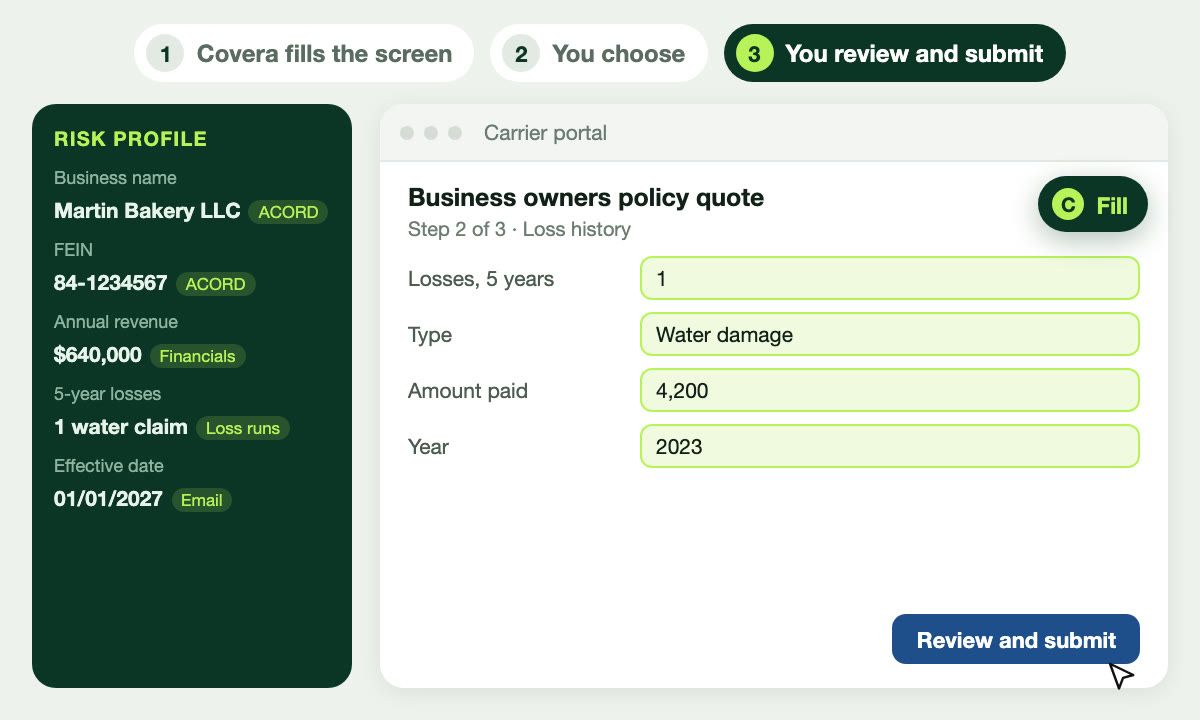
The free tool handles one account at a time, from quotes you already gathered. The work before it remains: pulling quotes from carrier portals, then filing them in the client record. Our tips to quote faster on carrier portals cover that step.
Covera does both ends. The carrier quoting agent pre-fills carrier portals and files every quote in the client record. Covera's quote comparison agent builds the comparison on every account, connected to your agency management system, on your agency's letterhead.
Frequently asked questions
Can you compare insurance quotes with ChatGPT or Claude?
Yes, as long as you give them rules: a coverage grid per line of business, no invented values, no math and no verdict. Covera's free quote comparison tool, for Claude or ChatGPT, applies these rules and produces a PDF you can send to your client.
Can AI get an insurance quote comparison wrong?
Yes: without instructions it fills gaps with what a policy usually includes, or compares deductibles that are not measured the same way. Hence three safeguards: "Not stated in quote" when a quote is silent, "not comparable" when two values differ in kind, and a review of the draft before the final PDF.
Is an AI quote comparison advice to the client?
No. It is a summary of the quotes provided: the carrier's quote and policy form prevail, and it is not a binder of coverage. The recommendation stays with the agent.
What is the difference between the free tool and Covera?
The free tool handles one account at a time, from quotes the agent already gathered. Covera compares quotes across every account, connected to the agency management system, and produces the comparison on the agency's letterhead.