Carrier portal quoting: 8 tips to quote faster
Prepare the submission before you open the portal, enter it once for several carriers, file every quote: 8 tips to quote faster, then let Covera fill the portals.
To quote faster on a carrier portal, prepare everything before you open it: a complete risk profile, the client's documents, and the questions each carrier asks. Here are 8 tips to win that time back by hand, then how Covera fills the portal for you.
Before you open the portal: prepare the submission
1. A complete risk profile, with the source of each answer
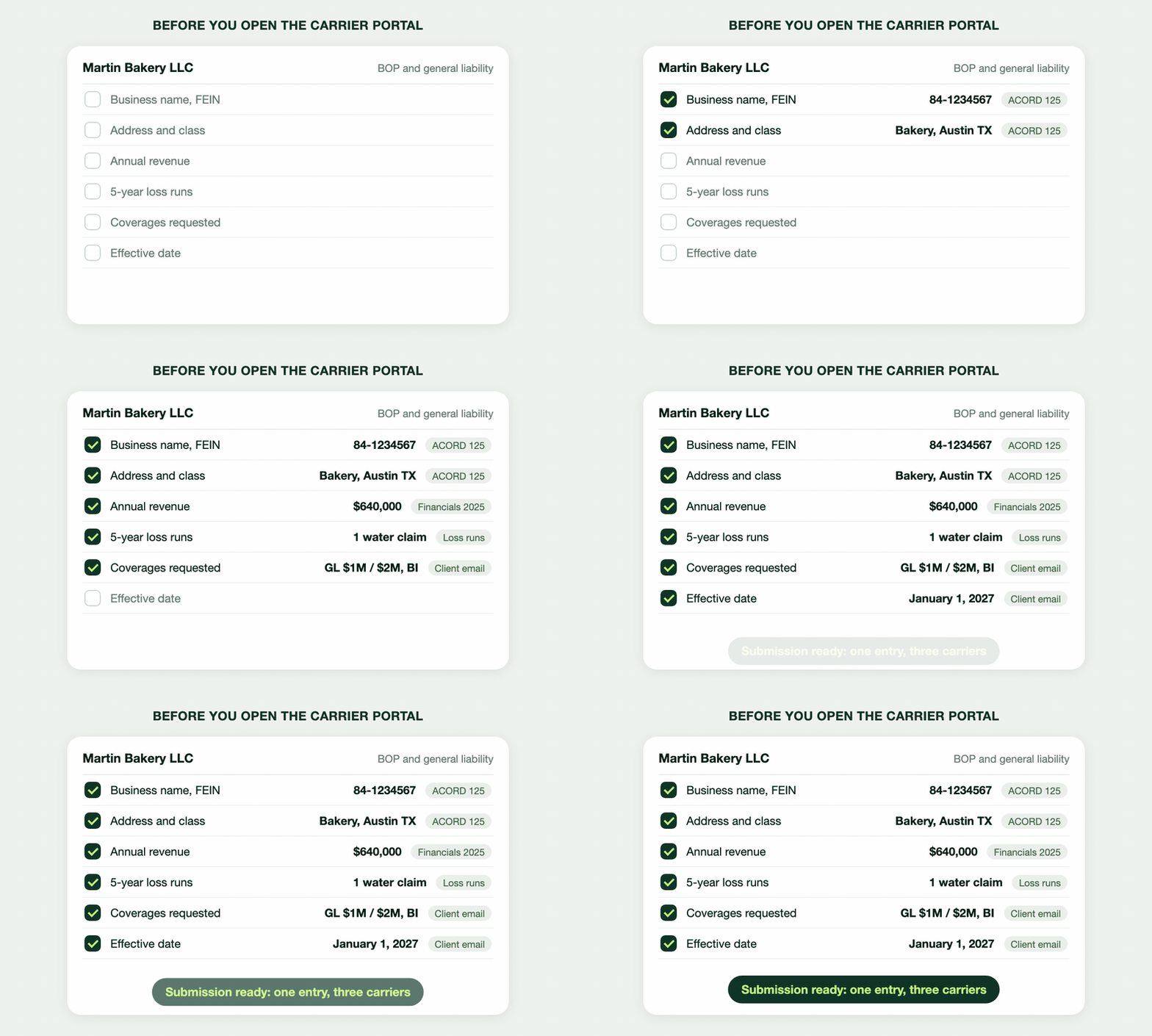
The habit that saves the most time: do not open a portal until the profile is complete. Each answer comes with its source (ACORD application, loss runs, financials, client email): when in doubt during entry, you check without searching.
What carrier portals almost always ask, by line:
- personal auto: VIN, vehicle use, garaging address, driver dates of birth and license numbers, prior carrier, violations and claims;
- homeowners: address, occupancy, year built, construction, square footage, roof age, prior claims;
- general liability and BOP: business name, FEIN, address, class of business, annual revenue, payroll or employee count, limits requested, effective date, loss runs;
- commercial property: building construction, protection class, sprinklers and alarms, building and contents values.
2. Ask the client for every document at once
Loss runs, declarations pages, driver list, financials: one request with the full list beats three follow-ups. If you only find out what is missing once you have started, the list in tip 1 needs work. Covera has a document collection agent that sends this request and the follow-ups.
3. Keep a list of the questions that stall you, carrier by carrier
Each carrier's application has questions your profile does not: roof updates, years in business, subcontractor costs, claim details. Write them down once per carrier. On the next account, you ask the client before you start.
In the portal: enter fast, without errors
4. Profile open next to the portal: copy, do not type
Two windows side by side: the profile on the left, the portal on the right. A FEIN or a VIN gets copied, never retyped from memory. A typo means a wrong quote, or a premium that changes at bind.
5. Start with the most demanding carrier
The longest application asks the most questions. Start there: its answers complete your profile and serve the next portals. Add any new answer to the profile right away.
6. Save the draft and write down the quote number
Portal sessions time out, usually at the worst moment. Save the application as soon as the portal lets you, and write the quote number on the profile. A resumed quote beats a redone one.
After quoting: file, then compare
7. File the quote PDF in the client record right away
A file name that says it all (carrier, package, date) and the right client record. A quote left in "Downloads" is a quote you will search for later.
8. Compare with a method
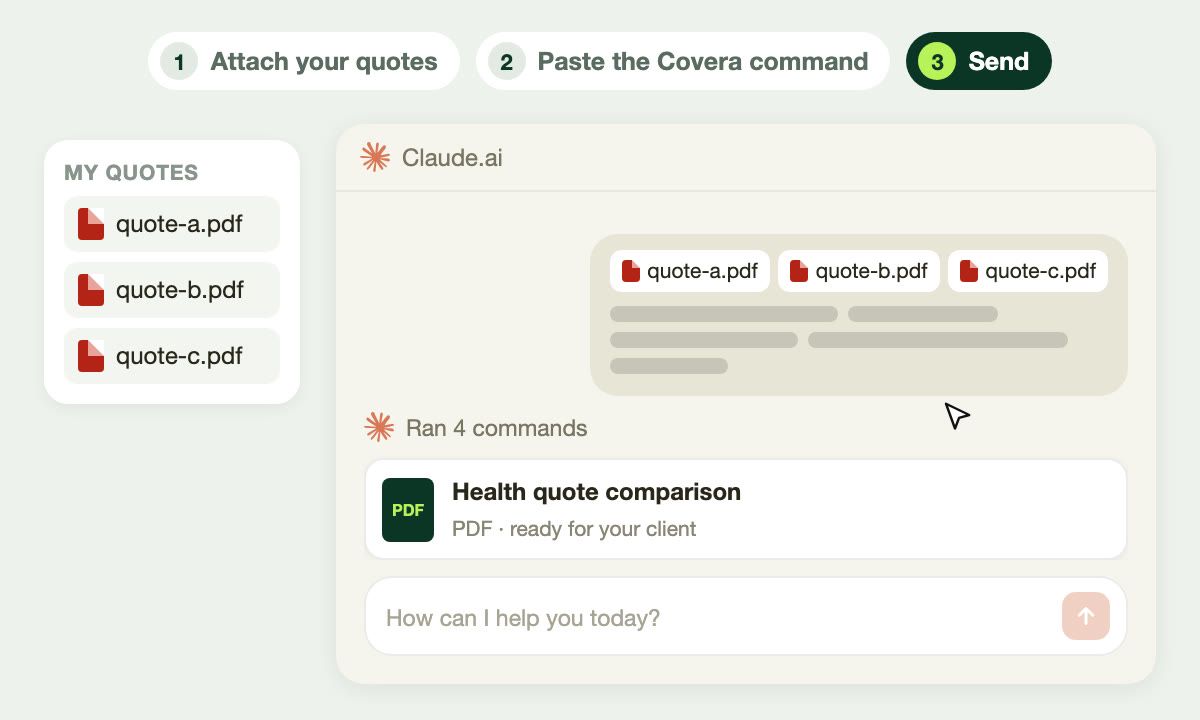
With two or three quotes filed, you still have to compare them for the client, without inventing anything. We wrote the method to compare insurance quotes with AI, and a free quote comparison tool for Claude that applies it.
The fastest option: let Covera fill the portal
The eight habits above cut retyping, without removing it: each portal still has to be filled by hand. That is what Covera's carrier quoting agent does.
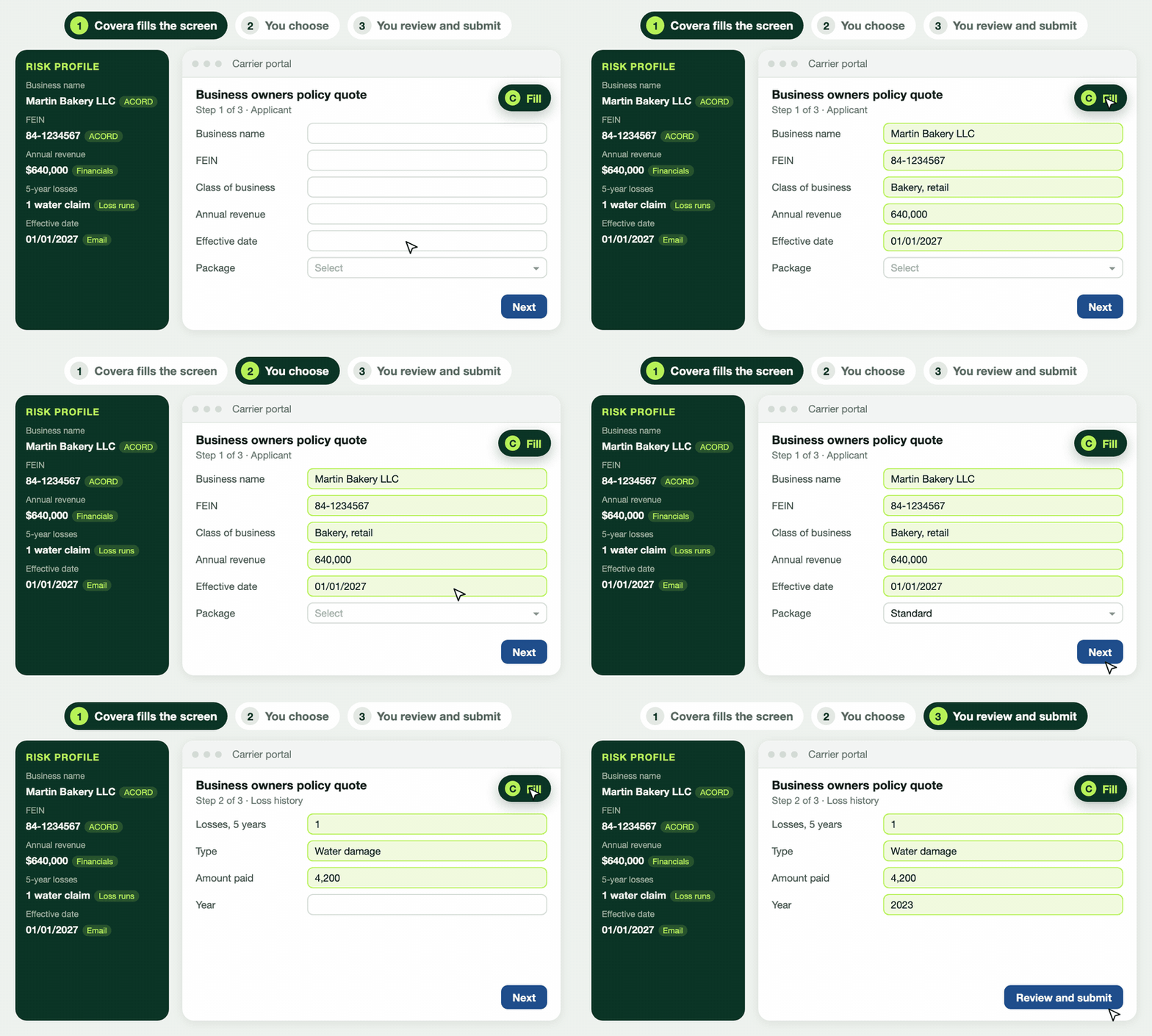
How it works:
- The risk profile builds itself from the documents and emails on the account. Each value cites its source; with no source, the field stays empty. What is missing is listed, portal by portal.
- You sign in to the portal with your own credentials, as usual.
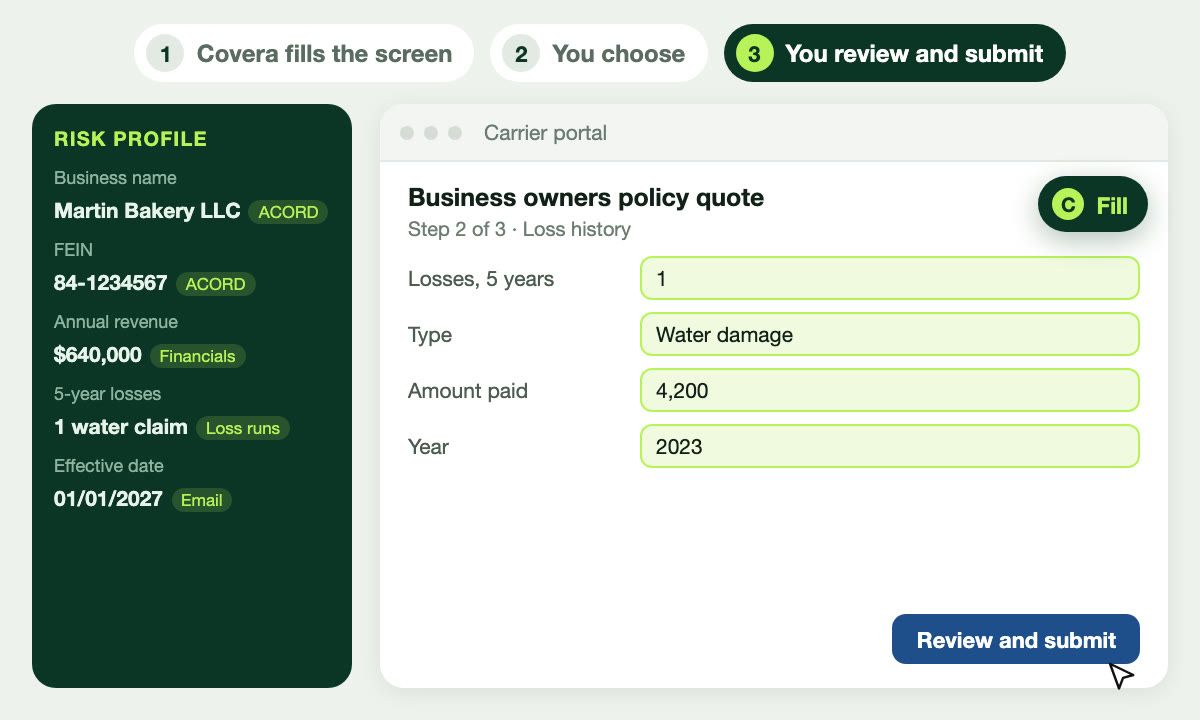
- One click on "Fill" per screen: the Covera Extranets extension (Chrome and Edge) fills the fields and shows how many were filled and not found. It never overwrites an entry.
- You stay in control: the package and options stay your call. The extension never submits: you review and you submit.
- A value you type by hand in the portal goes back to the profile, for the next carrier.
- The quote attaches to the account in one click, then gets compared with the others.
Supported portals are on Covera's carrier portals list.
Frequently asked questions
How do I quote faster on several carrier portals?
Prepare a complete risk profile before you open the first portal, with the source document of each answer, then start with the most demanding carrier. Covera goes further: it fills each portal from the same profile, screen by screen.
Does Covera submit the quote for me?
No. The Covera Extranets extension fills the fields of one screen per click, and leaves the package and options to the agent. It never submits: the agent reviews and submits.
Do I have to give Covera my carrier portal logins?
Not for pre-fill: everyone signs in to the portal as usual. Sharing logins is optional; they are stored encrypted and let Covera map a new portal without taking the agency's time.
Which carrier portals does Covera fill?
The portals of major US carriers and wholesalers, listed on Covera's carrier portals page. Depth varies by product: a supported carrier does not mean every one of its products is.